

In the Forgeon editor, an event branch is a tool that allows you to divide the story into separate logical spaces and connect them together. As a result, you get not just a plot, but a game world through which the user can navigate.
What is an event branch?
On the left panel of the editor, at the bottom, there is a block called “Event Branch”.
When you create a branch:
you specify a name (for example: Home, City, Work);
a separate story board is created;
inside it, a “Main” page automatically appears — this is the entry point to the branch.
In fact, each branch represents a separate scene or location, which houses its own mini-plot.
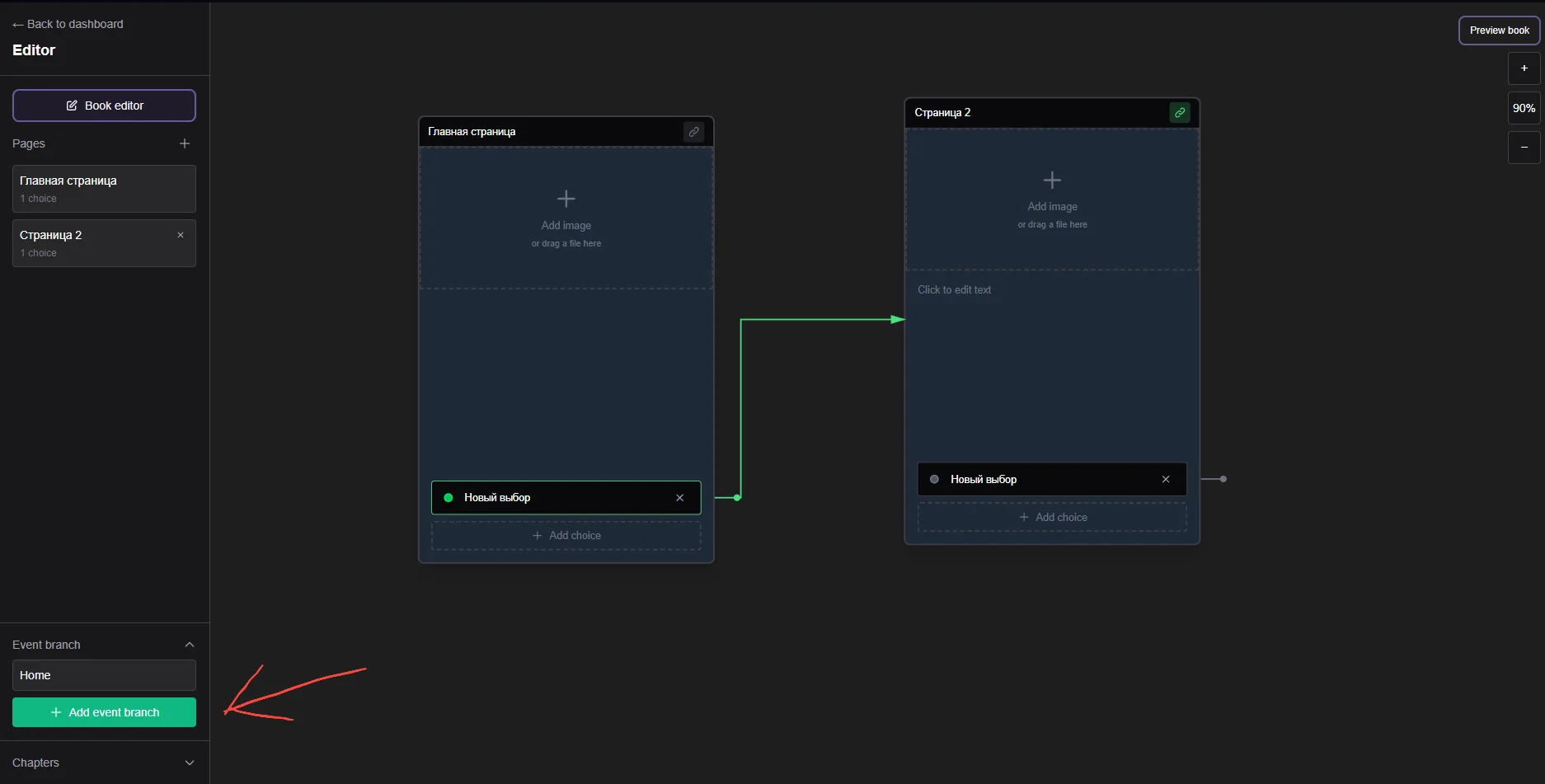
How transitions into a branch (and back) work
The key mechanic is transitions between branches.
Let's break it down with an example:
Scenario
In the main plot, the user has a choice:
Go home
Go to the city
If the user chooses “Go home”, the transition occurs:
from the main branch → to the Home branch
the user lands on the Main page inside this branch
What happens inside the branch
Let’s say the Home branch is arranged like this:
Main (entrance hall)
Go to the room
Go to the kitchen
Leave the house
Inside:
each page is a separate scene;
actions lead to other pages within the branch;
the logic is completely independent from the main plot.
How the exit works
Important: every branch must have an exit point.
Example:
the button “Leave the house”
→ returns:either to the main branch;
or to another branch (for example, City).
The main idea
A branch is not just a piece of text.
It is a separate location with an entrance and an exit that can be embedded into any part of the story.
Transitions between branches — the foundation of the structure
Branches can be directly connected to each other, creating a network.
Example of logic:
The user starts in the main branch
Transitions to Home
Leaves home to City
From the city chooses:
Cafe
Work
Shop
Each of these places is a separate branch.
Why this is important
You stop thinking of the story as a single line.
Instead, you gain a structure made of:
locations;
navigation between them;
independent scenes;
repeatable actions.
This is behavior close to a game already.
How to use branches for RPGs
Building a game world (detailed with example)
Let’s imagine you want to create a simple gameplay loop.
Step 1: Central branch — “City”
This is the main hub to which the player will return.
Inside the City branch:
Main (street)
Go to the cafe
Go to work
Go to the shop
Return home
Step 2: Separate branches for each location
Create branches:
Cafe
Work
Shop
Home
Each of them has its own logic.
Step 3: Example of the “Work” branch
Structure:
Main
Start a shift
Leave
If the player chooses “Start a shift”:
receives money;
spends energy;
goes to the “End of shift” page.
After that:
the button “Return to city”
→ leads back to the City branch
Step 4: Connecting all branches
The cycle looks like this:
City → Work → City
City → Cafe → City
City → Shop → City
City → Home → City
The player freely moves between them.
What this gives
repeatable actions (work, rest);
route choice;
a sense of space;
a foundation for mechanics (money, resources, time).
Potential of the tool
The event branch offers not just convenience — it changes the very approach to story creation.
1. The story turns into a system
You no longer write linear text.
You design:
locations;
connections;
entry and exit points;
scenarios within each zone.
2. Scaling without chaos
You can:
add new branches (locations);
expand existing ones;
without breaking the working structure.
For example:
added a “Hospital” to the city — and simply connected it as a new branch.
3. Reusability
One branch can be used:
in different places of the plot;
as part of different scenarios;
as a universal location.
4. Basis for endless gameplay
If you combine:
branches (locations),
transitions,
and cycles of actions,
you get a structure where:
there is no fixed ending;
there is continuous interaction;
the user shapes their own path.
Conclusion
An event branch is a fundamental building block of a game world within a story.
With its help, you can:
divide the plot into locations;
manage transitions between them;
create repeatable scenarios;
build fully-fledged game structures.
With proper architecture, this is no longer just a story, but a system where the user plays rather than only reads.